Step 01
Build a baseline
Open the Generate panel and click Generate Map. The defaults are enough for a first pass; set Party CER first if you already know it.
Make one clean baseline before you tune anything. Generate with the defaults, read what DOA made, then export the version your table actually needs.
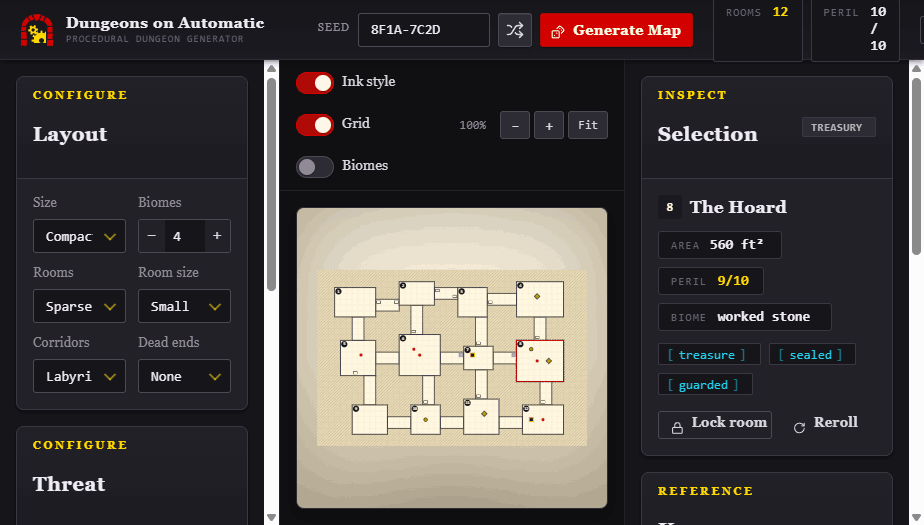
Open the Generate panel and click Generate Map. The defaults are enough for a first pass; set Party CER first if you already know it.
Inspect Rooms & Contents, the adventure frame, and both map views. Check the entrance, obvious routes, encounters, hazards, treasure, and the first few room entries.
Give players a player-safe PNG or VTT file. Keep the GM map, Markdown room key, and Dungeon JSON with your prep.
A Session Brief can name a theme, tone, set pieces, danger target, and character spotlight. Local AI can help interview you and turn those notes into structured suggestions.
Director authority is limited to typed tools. Source-filtered DFRPG data, deterministic generation, and validation approve every change before it enters the dungeon.
Dungeons on Automatic is an original game aid by Kyle Norton for use with GURPS and Dungeon Fantasy Roleplaying Game from Steve Jackson Games. It is not official and is not endorsed by Steve Jackson Games.
GURPS and Dungeon Fantasy Roleplaying Game are trademarks or registered trademarks of Steve Jackson Games. All rights are reserved by Steve Jackson Games. This free, non-resale game aid uses those marks under the SJ Games Online Policy; no SJ Games art, logos, or trade dress are hosted here.